How to Sign Up on Moon.com, Step by Step
Short version: open Moon through a button on this site and the Offer code field fills in with 1000XGUIDE by itself. Create your account with Google, Discord or email, tick the 18+ box, then submit identity verification before your first crypto deposit. Practice on play money first, and check the fees panel before every bet.
Signing up on Moon takes about two minutes. Verification and your first deposit take a bit longer, mostly because you're waiting on documents and blockchain confirmations. Here's the whole path with real screenshots from Moon, taken in November 2026.
Before you start
- You must be 18 or older and live outside Moon's restricted countries, which include the US, the UK, Mexico and most of Western Europe. Moon checks location and detects VPNs, so don't try to get around it.
- One account per person. A second account breaks Moon's terms and can cost you any bonus and winnings.
- Have your ID handy. You'll need it before your first deposit.
Step 1: Open Moon with the code applied
Use any "Join Moon" button on this site. It opens Moon with our code already in the link, so the Offer code field on the sign-up form is filled in for you. If you open moon.com directly, the field starts empty and you'll have to type the code yourself.
On Moon, tap Register in the top right corner.
Step 2: Choose how to sign up
Moon offers Google, Discord or email, plus Facebook, Kick and Twitch. All of them lead to the same account form. Email is the simplest if you want to keep your betting account separate from your social logins.
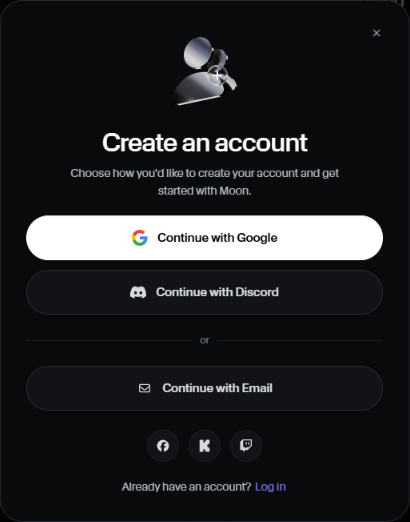
Step 3: Fill in the form and check the Offer code
Pick a username (it can't be changed later), add your email and a strong password. Then look at the field labeled Offer code (optional):
- If you came through our link, it already shows 1000xguide. Leave it as is.
- If it's empty or hidden, tap "Offer code (optional)" and type 1000XGUIDE.
Tick the box confirming you're 18 or older and agree to the terms, then tap Create account.
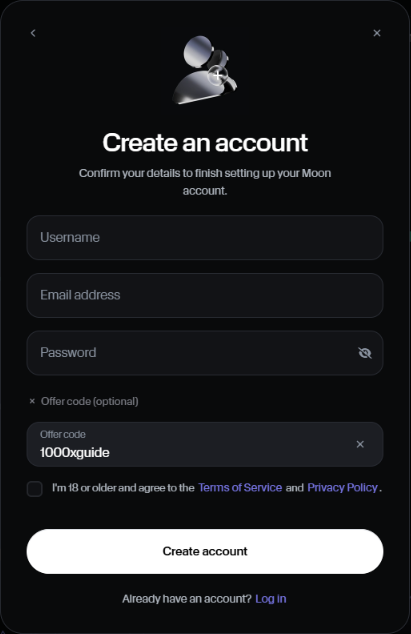
Plan on entering the code now. Codes usually can't be added after the account exists. With 1000XGUIDE you get a 100% first deposit bonus up to $500 (you can bet with it right away, and it becomes real, withdrawable money once your profit reaches 1.5x your deposit; until then each bet is capped at 25% of your deposit) and 3.5% rakeback for life.
Get a 100% deposit bonus + 3.5% rakeback for life on Moon
Sign up with code 1000XGUIDE: 100% first deposit bonus up to $500 + 3.5% rakeback for life. Bonus termsStep 4: Verify your email and your identity
Confirm your email first. Then open the account menu and go to Account > Verification. Moon's verification has three parts, done in order:
- Personal details: name, country of birth, date of birth, country of residence and address, exactly as they appear on your ID.
- ID document: front and back. Moon accepts PNG, JPG, HEIC or PDF, up to 10 MB each.
- Proof of address: a document showing your name and address with all four corners visible.
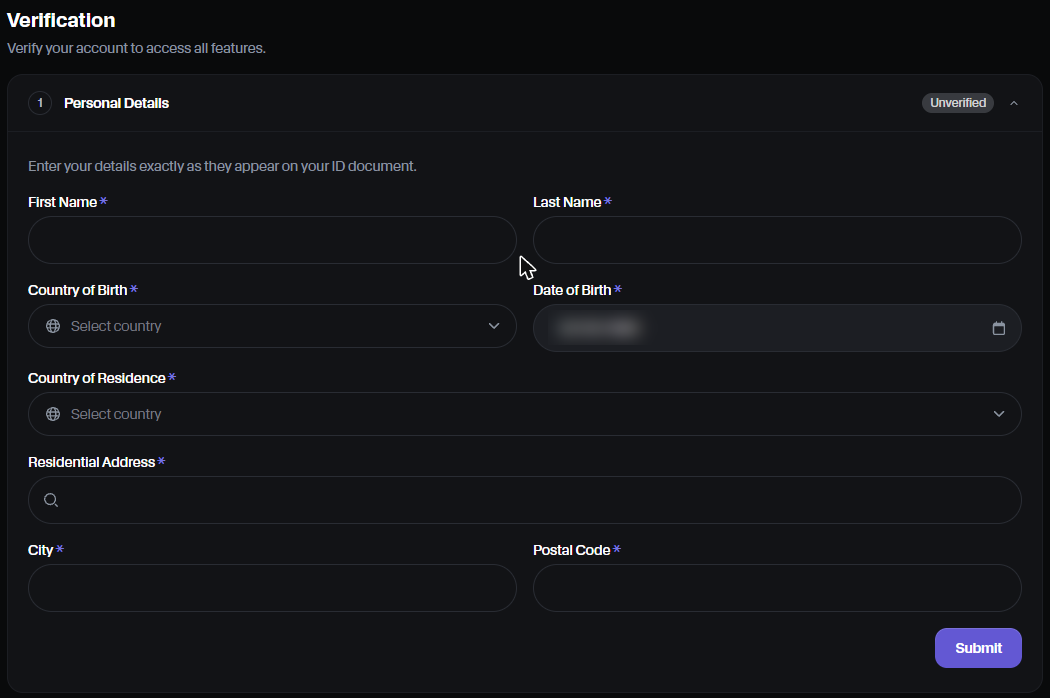
Moon needs verification submitted before your first deposit and approved before your first withdrawal. Do it right away so there's no wait later. More detail in deposits and verification.
Step 5: Try play money first
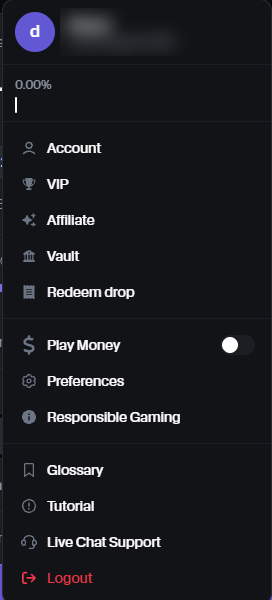
Open the account menu and switch on Play Money. You get a $100,000 practice balance, refillable without limit, with the same markets and tools. Use it to see how fast your chosen leverage can end a bet before any real money is involved.
Step 6: Make your first deposit
Moon takes crypto only. Tap Wallet, then Deposit, and choose the currency and the network. Moon shows a deposit address and a QR code. Copy the address exactly, and make sure you send on the same network you picked: sending on the wrong network can lose the funds.
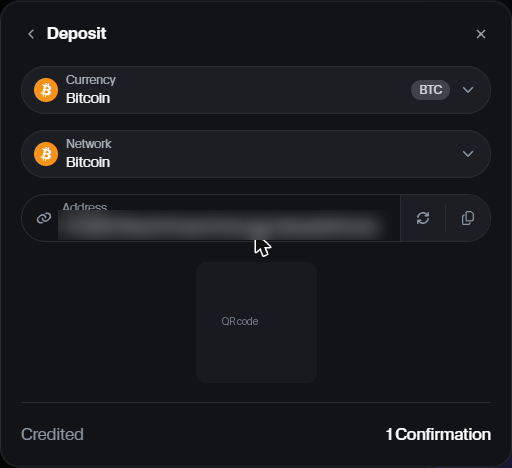
The deposit is credited after the confirmations shown at the bottom of the window (for Bitcoin, Moon showed 1 confirmation). If you signed up with code 1000XGUIDE, the 100% bonus is added automatically after your first deposit; allow up to 72 hours.
Step 7: Read the bet panel before your first bet
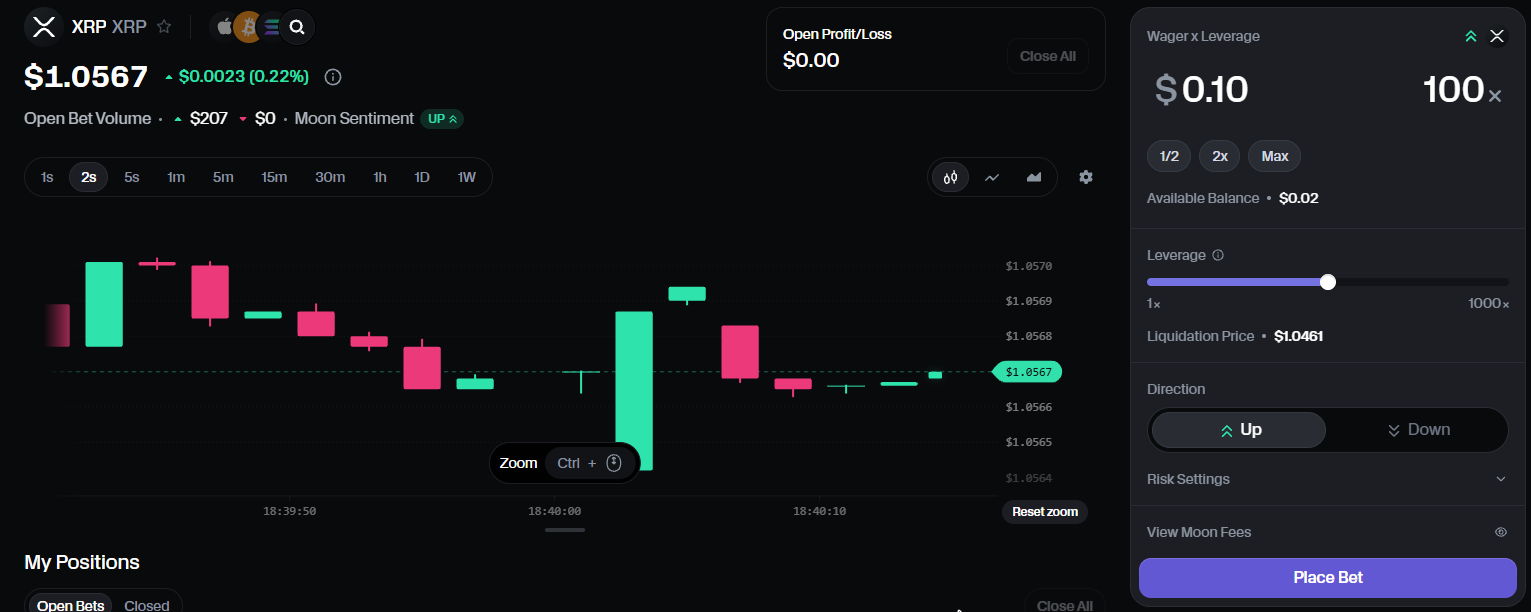
The bet panel on the right is where every bet starts:
- Wager x Leverage: your stake and the multiplier, with quick 1/2, 2x and Max buttons.
- Leverage slider: 1x to 1000x on markets that allow it. The Liquidation Price under it is your max loss price.
- Direction: Up or Down.
- Risk Settings: Auto Profit and Auto Loss.
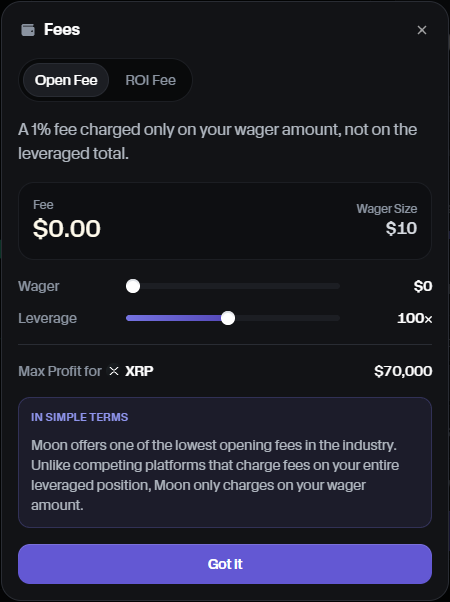
Tap View Moon Fees before you place a real bet. The opening fee is 1% of your wager, not of the leveraged position, and winning bets pay a performance fee of at least 10% of profit. The panel also shows the maximum profit allowed per bet on that market.
A good habit: check your max loss price in our leverage calculator first, and keep each bet small compared with your balance. Read what leverage to use before going above 50x.
Quick checklist
- Open Moon through our link and tap Register.
- Confirm the Offer code shows 1000XGUIDE.
- Verify your email, then submit KYC.
- Practice on play money.
- Deposit crypto on the right network.
- Check fees and your max loss price before every bet.
Screenshots taken on moon.com in November 2026. Moon's interface can change. 18+. Only bet what you can afford to lose.
Ready to try Moon?
Sign up with code 1000XGUIDE: 100% first deposit bonus up to $500 + 3.5% rakeback for life. Bonus terms